BibleClick — a quiet Bible verse for Apple Watch and iPhone

Peace is here

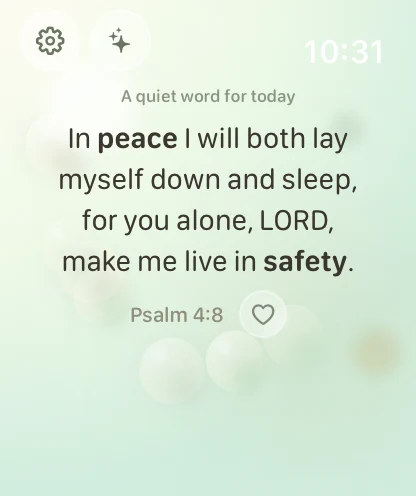
In peace I will both lay myself down and sleep, for you alone, LORD, make me live in safety.

Psalm 4:8

Tap the bubble for another verse

Atmosphere

Join the TestFlight beta

Free. No ads, no subscription. Tips are optional.

  • Apple Watch and iPhone
  • 365 starter verses
  • Nothing leaves your device
One app, two moments

On your wrist, and in your hands

The Watch is for the ten seconds you have. The iPhone is for the half hour you make. BibleClick is built for both, and neither one needs the other to work.

BibleClick on Apple Watch showing Psalm 4:8 in the Pearl Sky atmosphere

Apple Watch

Raise your wrist. Tap once. A verse settles.

A soft bubble waits on the screen. Tap it and the app breathes out a verse from your library, held in the atmosphere you chose. A Prayer screen keeps short prompts close — “Peace, be still.” A breathing complication keeps it one tap from your watch face.

  • Tap to receive
  • Prayer screen
  • Complication
  • Favourites
  • Add your own verses

iPhone

Read the whole chapter. Keep what stays with you.

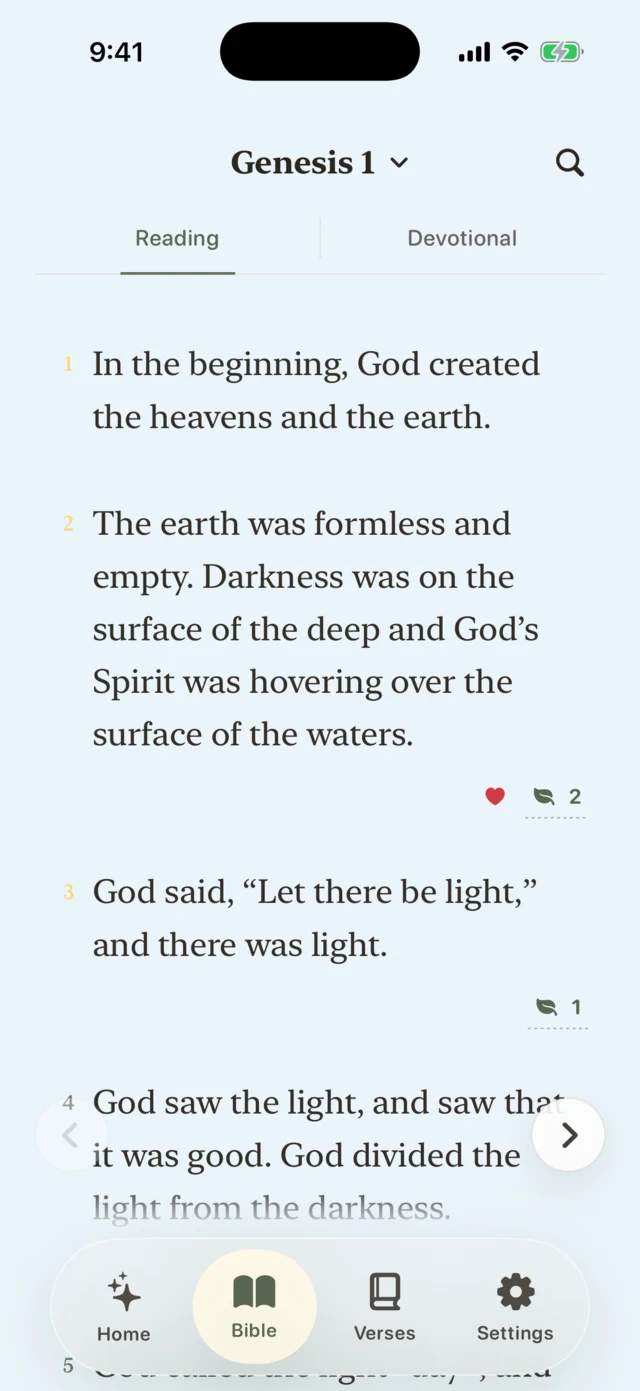
Open any book and read straight through. Highlight a line, write a note beside it, favourite the verses you want to return to, and find them again by word, phrase, or reference. Today’s Verse can arrive at a time you pick.

  • Full Bible reader
  • Highlights and notes
  • Search
  • Today’s Verse
  • Ambience sounds
BibleClick on iPhone showing Genesis 1 in Devotional view: verse cards, a favourited verse, and an open note.
Eight atmospheres

Pick the weather you need today

Every atmosphere has its own colour, its own light, and its own quiet motion — snow, rain, sunrise, or drifting petals. Verses stay independent, so changing the atmosphere never changes your library. Choose one and this whole page will follow.

No account, no server

Everything stays on your device.

Your verses, highlights, and notes live on your iPhone and Apple Watch. There is no sign-in screen, because there is no account to sign in to.

No account

No email, no password, no profile. Open the app and it is ready.

No analytics, no tracking

Nothing measures what you read, mark, or come back to.

No network, no SDKs

The verse library ships inside the app. It works in aeroplane mode.

Read the privacy policy

The BibleClick app icon: a pale cream sphere on a dark ground, holding a serif letter B.

The 365 starter verses are from the World English Bible, Protestant Edition (WEBP), a public domain translation published by eBible.org. BibleClick doesn’t bundle copyrighted translations. You can add, edit, favourite, or delete your own verses at any time — and restore the starter set whenever you want it back.